

What it solves
Craft scopes sections to sites. It does not scope volumes: in a multi-site install, every asset volume is offered on every site. An editor working on the Austrian storefront sees the UK press archive, the internal document library and everything else, in the Assets index and in every Assets field.
Site Volumes adds the missing scoping. You decide, per volume, which sites it belongs to — and the volumes that don't belong stop showing up as a source on those sites.
Requirements
| Craft CMS | 5.0.0 or newer |
| PHP | 8.2 or newer |
| Other plugins | none |
| Sites | Only useful with more than one site, which means Craft Pro |
Installation
composer require kernpfad/craft-site-volumes
php craft plugin/install site-volumes
A Site Volumes entry appears in the control panel sidebar:
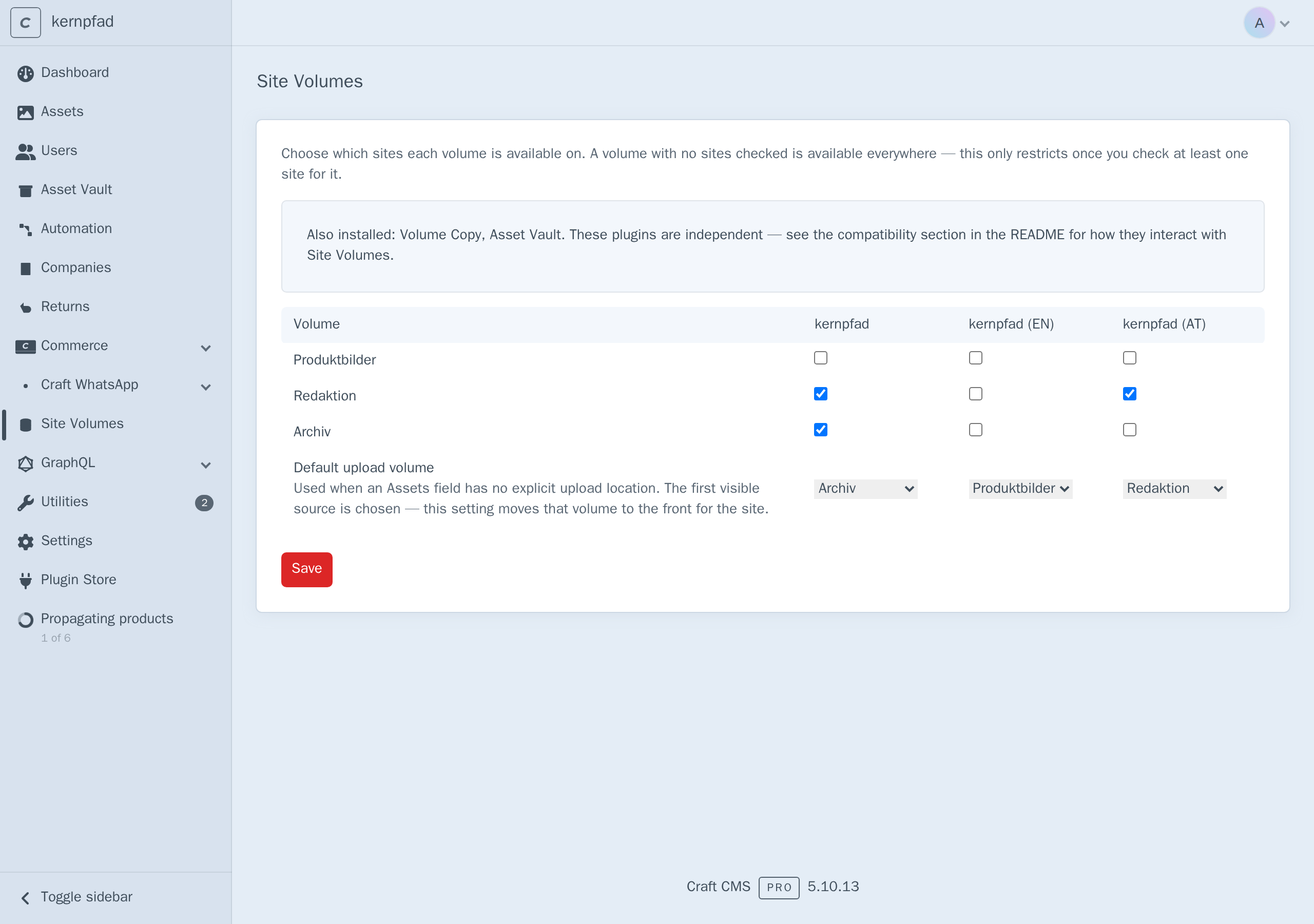
Installing changes nothing on its own. Every volume starts unrestricted, and stays that way until you check a site for it.
Setting restrictions
Open Site Volumes. You get a matrix of every volume against every site, a default-upload-volume row underneath it, and — when a compatible sibling plugin is installed — a notice pointing at the compatibility section below:
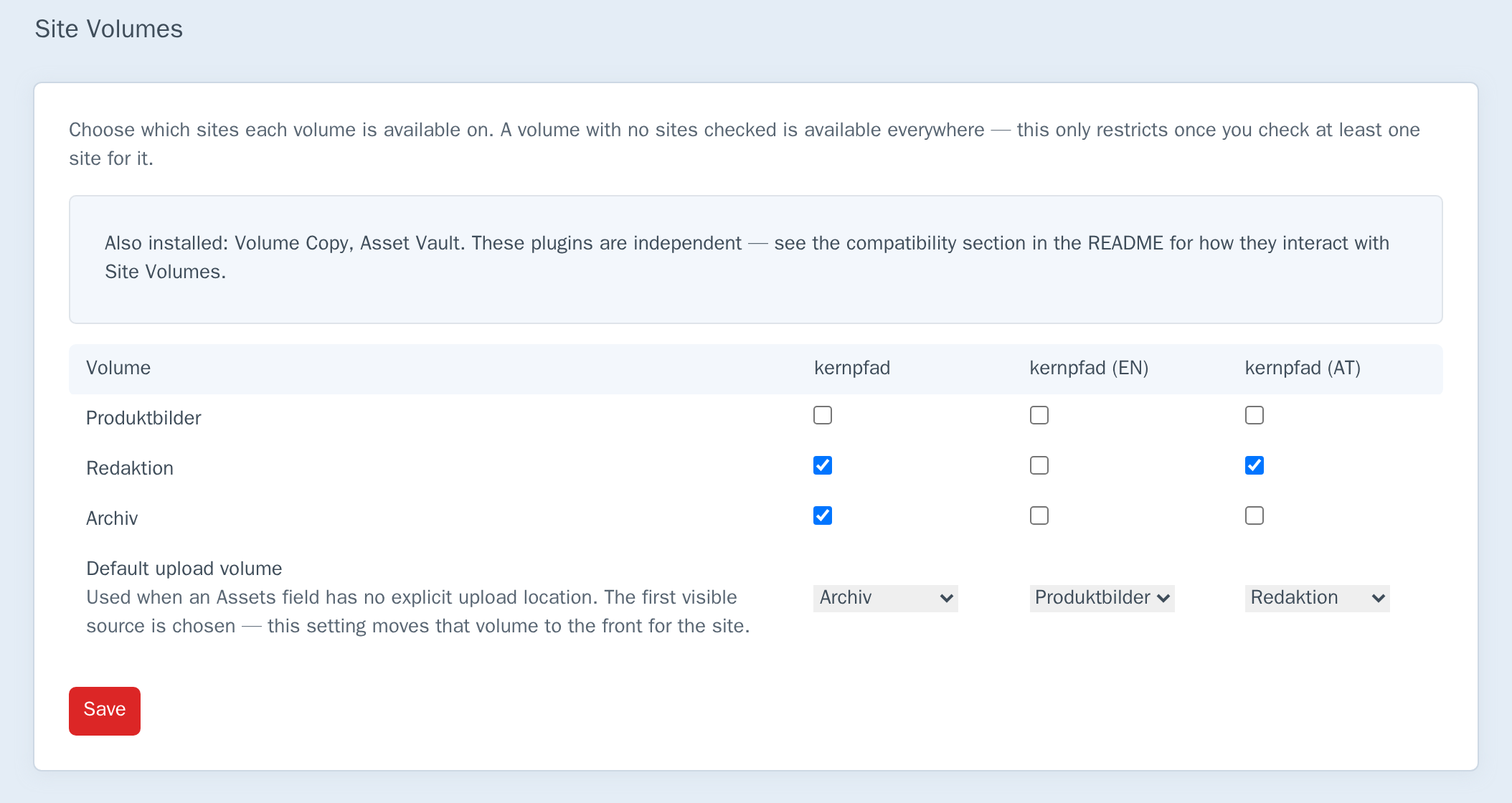
Tick the sites a volume belongs to and press Save.
The rule that matters most is the one for empty rows:
A volume with no sites checked is available everywhere.
Restrictions are opt-in per volume. That is deliberate — the alternative would mean installing the plugin instantly hides every volume from every site until you reconfigure the whole install. In the screenshot above, Produktbilder has nothing checked and therefore stays available on all three sites, while Redaktion is limited to two sites and Archiv to one.
To lift a restriction, uncheck every site for that volume and save. The volume becomes available everywhere again.
A save that would leave any site with zero available volumes is rejected outright, naming the site(s) — checked across the complete proposed configuration, not just the row you're editing, since a change that looks fine for one volume can still starve a site if every other volume already excludes it. Confirmed against a real save attempt: restricting every volume to a single site produces "Couldn't save: kernpfad (EN), kernpfad (AT) would have no available volume left" and nothing is written — the previous configuration stays in place.
Default upload volume
The row under the matrix sets, per site, which volume an Assets field with no explicit upload location should use. Without it, Craft just picks whatever source happens to be first — normally alphabetical, not a deliberate choice. Setting a default moves that volume's source to the front of the filtered list for the site, so it's what a field with no configured location picks.
The default must itself be allowed on that site once restrictions apply — Craft would otherwise point an unconfigured field at a volume the picker hides for that site. This is checked at save time too: setting AT's default to a volume only allowed elsewhere is rejected with "Couldn't save: the default upload volume for kernpfad (AT) isn't allowed on that site."
What it looks like in use
On the primary site, all three volumes are offered as sources — and Archiv, configured as the primary site's default above, is the one already selected, first in the list:
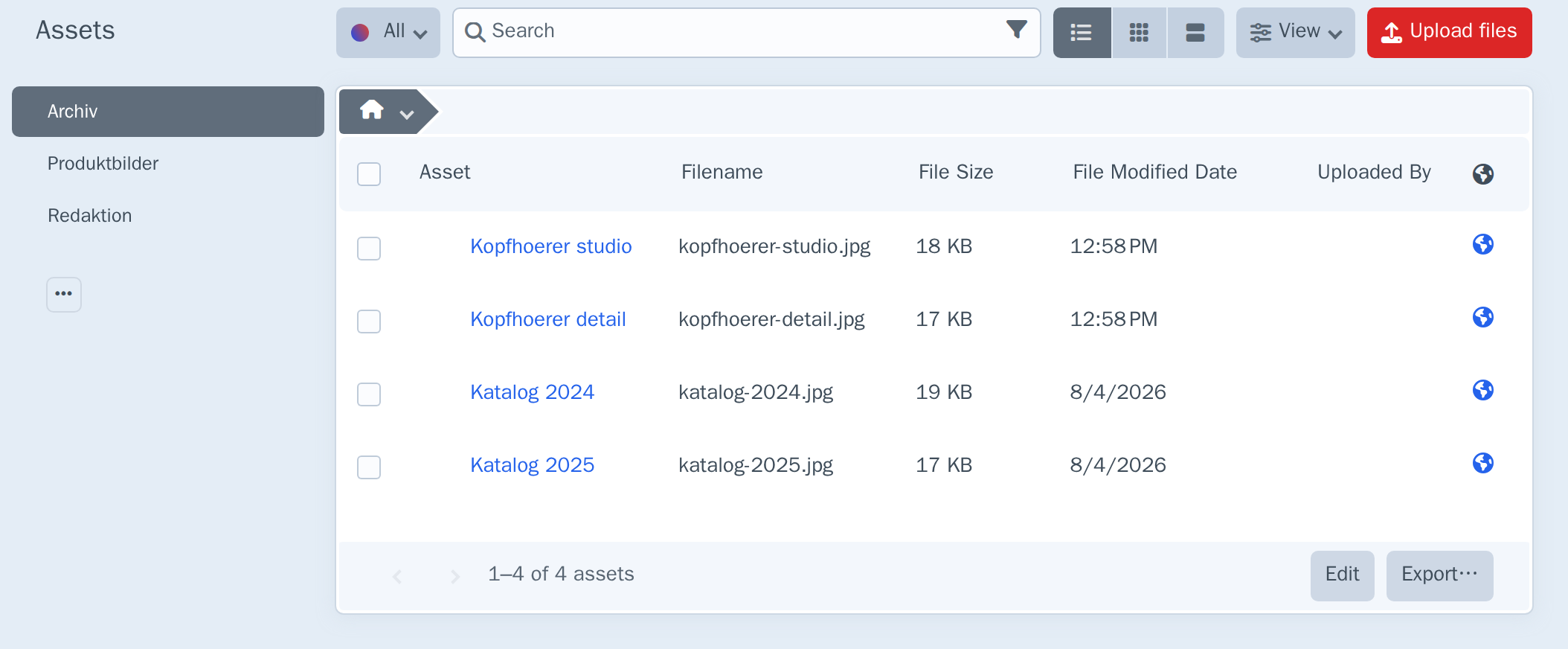
Switch the site menu to the English site, and the two restricted volumes are gone — only the unrestricted one remains:
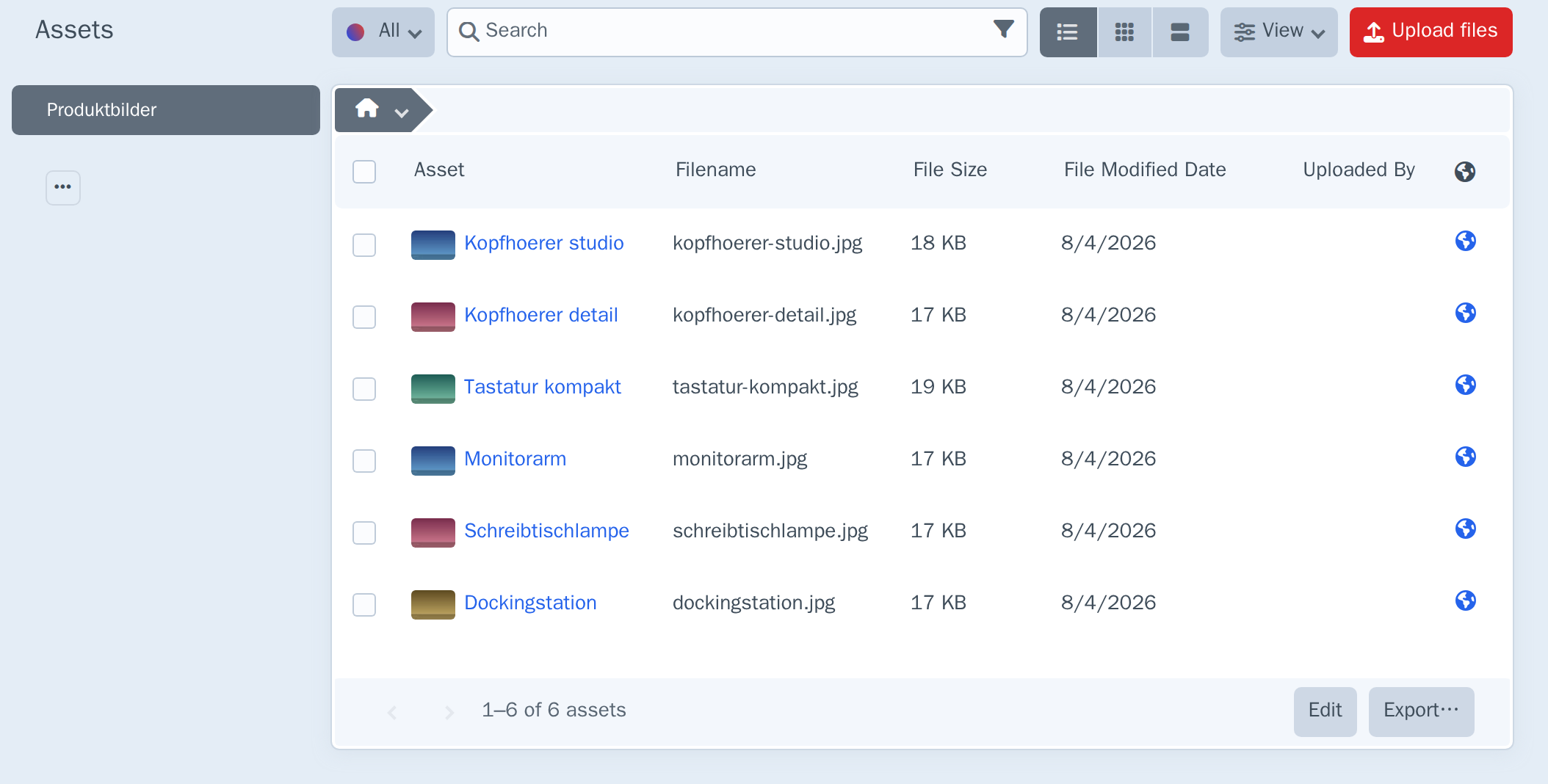
The same filtering — and the same default-volume reordering — applies to Assets fields that have no explicit sources configured, because Craft builds that list from the same source registry.
New sites
When Craft adds a site, restricted volumes don't automatically include it — if every volume were restricted away from a brand-new site, its Assets index and every Assets field would come up empty from the moment it exists. Site Volumes handles this itself: a new site automatically inherits the primary site's restricted-volume access (only for volumes the primary site itself can see — an unrestricted volume needs nothing, it's already available everywhere) and copies the primary site's default upload volume, if one is set and still valid for the new site.
Confirmed by creating a real site: with the primary site restricted to Archiv and Redaktion and defaulting to Archiv, a freshly created site immediately had the same two volumes available and the same default — no manual reconfiguration.
This runs once, at site creation. It doesn't keep sites in sync afterward — a restriction added to the primary site later doesn't retroactively propagate to sites created before that change.
Extending via events
Other modules can hook into volume resolution instead of reading the database directly:
use kernpfad\sitevolumes\events\ResolveVolumeForSiteEvent;
use kernpfad\sitevolumes\services\RestrictionService;
use yii\base\Event;

Event::on(
    RestrictionService::class,
    RestrictionService::EVENT_RESOLVE_VOLUME_FOR_SITE,
    function(ResolveVolumeForSiteEvent $event) {
        // $event->volumeId, $event->siteId, $event->isAllowed (mutable)
    }
);
RestrictionService::EVENT_RESOLVE_DEFAULT_VOLUME_FOR_SITE works the same way for default upload volumes ($event->volumeId is mutable). Both fire during source-list filtering in the control panel — on every Assets index load and Assets field render, so keep listeners cheap.
EVENT_RESOLVE_VOLUME_FOR_SITE additionally fires from a second, much less frequent call site: new-site inheritance, when a freshly created site copies the primary site's restricted-volume access. A listener that assumes it only ever runs on a cheap per-render path will also run there — harmless for a cheap listener, but worth knowing if one does anything more expensive or stateful. EVENT_RESOLVE_DEFAULT_VOLUME_FOR_SITE has no equivalent second call site.
Permissions
The Site Volumes settings page requires the Manage volume/site restrictions permission (siteVolumes:manage), assignable per user group under Settings → Users → User Groups.
The restrictions themselves apply to everyone, whether or not they hold this permission — it governs who may change the matrix, not who is subject to it.
How it works
The plugin hooks Craft's Element::EVENT_REGISTER_SOURCES for assets — the same event Craft uses to assemble the volume list — and drops the sources whose volume isn't allowed on the site the request is about. Because it filters the registry rather than patching individual screens, the Assets index and Assets fields stay consistent with each other.
Each source is resolved through its underlying folder to a volume, so volume-level sources and subfolder sources are both covered. Once filtered, the site's default volume (if any and if still present in the list) is moved to the front; both steps fire RestrictionService's resolve events first, so a listener can override either decision.
All restrictions are read in one query per request and matched in memory. The hook runs once per source on every Assets index load and every Assets field render, so a per-source query would mean dozens of queries per page on an install with many volumes.
Which site is "current" depends on the request type. On front-end and GraphQL requests, Craft's own getCurrentSite() reflects the site being rendered. Control panel requests never set that — Craft leaves it on the primary site regardless of what the CP site menu shows — so the plugin resolves the site through Cp::requestedSite() there instead, Craft's own answer to "which site is this CP request actually about."
Limits
- This restricts what the control panel offers, not what the data allows. An asset that already exists can still be related to content on another site through the API or GraphQL directly. Element queries and GraphQL (
Asset::find(),assets { ... }) are not filtered by volume/site restrictions at all — Craft resolves those through its own site and volume parameters, a separate path from theElement::EVENT_REGISTER_SOURCESthis plugin hooks. Treat this as scoping for editors, not as a security boundary or a data-integrity constraint. - It scopes sources, not assets. A volume is available on a site or it is not; there is no per-asset rule inside a volume.
- Explicitly configured Assets field sources win. If a field is configured to point at specific volumes, that configuration is what the field uses — the plugin only filters the fallback list of all sources.
- New-site inheritance runs once. It copies the primary site's access at the moment a site is created; it isn't a live sync, so restriction changes made afterward don't retroactively apply to already-created sites.
- This doesn't touch files, URLs, or propagation. A volume has exactly one underlying filesystem regardless of which sites it's allowed for here — restricting it doesn't move, copy, or duplicate anything on disk (see Volume Copy if you need actual per-site file copies). An asset's URL comes from its volume's filesystem, not from a site, so the same asset resolves to the same URL everywhere regardless of this plugin. And Craft propagates content — entries, field values — across sites, not volumes; there's nothing here to propagate.
Compatibility with other Kernpfad plugins
Site Volumes controls which volumes appear as CP sources per site. It doesn't copy files, change URLs, or enforce access at the API layer — so it's orthogonal to, not overlapping with:
| Plugin | Relationship |
|---|---|
| Volume Copy | Duplicates files per site on disk. Site Volumes only hides or shows volumes in the picker; it never copies anything. Use both together for per-site file copies and per-site source visibility. |
| Asset Vault | Access control and encryption for assets. Site Volumes doesn't replace vault rules — a volume hidden from a site's picker can still hold assets reachable through other paths (see Limits above). |
When either is installed alongside Site Volumes, the settings page shows the notice in the screenshot above. There's no functional coupling between the plugins either way.
↑ Back to top